
Lanta AI Logo
Free AI Video & Image Generator

Create Stunning Videos & Images with AI

Turn your ideas into publish-ready videos and images: write a prompt, upload a photo, or restyle an existing clip. Choose from top AI models and generate high-quality content in minutes.

All systems operationalNo credit card requiredPrivacy-first uploads

How Lanta AI Works

Three simple steps to create stunning AI videos.

Step 01

Prompt / Image / Video

Input

Start with a text description, upload an image, or provide an existing video clip as your source material.

Step 02

Model + Style + Effect

Customize

Select the best AI model for your needs and customize motion, style, and visual effects to match your vision.

Step 03

Preview, Refine, Export

Generate

Preview the result, iterate quickly with adjustments, then export your final video in HD quality.

Made for Quality, Speed, and Consistency

Everything you need to create stunning AI videos.

High-Quality Models

Choose the right engine for realism or stylized looks.

Motion Consistency

Smoother movement and fewer awkward frame jumps.

Character & Style Control

Keep the same vibe across iterations.

One-Click Effects

Turn a single image into trending short-form effects.

Fast Preview Loop

Generate, review, and refine without friction.

HD Export

Share-ready output for Shorts, Reels, and TikTok.

Video Creation Suite

AI Video Tools

Everything you need to create, transform, and enhance videos with AI.

AI Video Generator

Generate AI videos online from a prompt or a photo—no editing required. Choose a model, set duration, and generate. Fast results, HD output, and easy sharing.

Try AI Video Generator
AI Video Generator

Animate Photos with AI Motion

Breathe life into still images with natural camera movement, dynamic motion, and cinematic style. Upload any photo and create captivating video content in seconds.

Try AI Image To Video
Image to Video

Vdieo Style Transfer

Transform existing footage into anime, Ghibli, pixel, pixar, or other creative style. Keep your original motion while completely reimagining the visual aesthetic.

Try Vdieo Style Transfer
Vdieo Style Transfer

Perfect AI Lip Sync

Sync lip movements with any audio track for ultra-realistic talking head videos. Ideal for dubbing, content localization, virtual avatars, and creative voiceover projects.

Try AI Lip Sync
AI Lip Sync
Multi-Model Platform

One Platform to Generate Videos & Images with Top AI Models

Create AI videos from text or images, then switch models in one workflow—Kling, Wan, Veo, Sora, Seedance, and more. Compare results, keep your prompts, and ship faster without juggling tools.

Built for Creators, Marketers, and Teams

Whatever your goal, Lanta AI fits your workflow.

Creators

Publish more, faster — without sacrificing quality.

Marketers

Generate multiple ad angles and creatives in one afternoon.

E-commerce

Animate product visuals and make listings stand out.

Agencies

Deliver consistent styles across campaigns.

Have Questions? We have Answers!

Want to know more? You can email us anytime at support@lantaai.com

Try AI Video Generator
What is Lanta AI (AI Video Generator)?

Lanta AI is a free online AI Video Generator for creating videos (and visuals) from text prompts, images, or existing clips. You can pick different models for different looks—like cinematic realism, fast everyday generation, or higher-fidelity outputs (including options like Wan 2.2 and other popular models available on the platform).

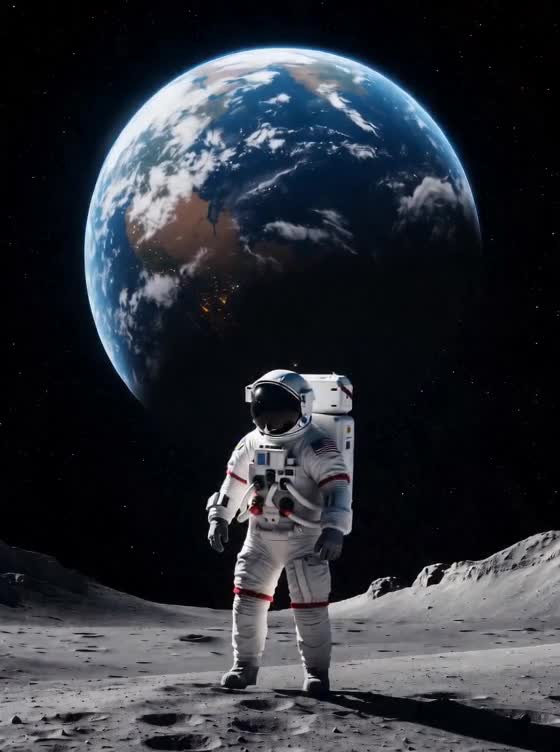
What is the Earth Zoom Out AI effect, and how do I generate it?

The Earth Zoom Out AI effect creates a cinematic “pull back from Earth” style transition. Start with a strong subject image (or a scene prompt), then choose a model and aspect ratio that matches your target platform (Shorts/Reels/TikTok).

Can I turn my clip into Ghibli-style animation (video-to-anime)?

Yes—use Video to Ghibli Style to transform an existing clip into a hand-drawn, anime-inspired look. If you want stronger stylization, use higher-contrast footage and simpler color palettes.

Text vs Image vs Video — which input is best for an AI Video Generator?

If you’re starting from scratch, use Text-to-Video inside our AI Video Generator. If you already have a photo, Image-to-Video is ideal for animating it. If you have footage, Video-to-Video is best for restyling, enhancing, or converting it into a new aesthetic.

How long does Lanta AI take to generate a video?

Most generations finish in about 1–5 minutes, depending on the model, resolution, and duration. Some models prioritize realism and consistency (great for cinematic outputs), while others are faster for quick daily creation. Paid tiers typically get priority processing for more predictable turnaround.

Is Lanta AI free to use, and how do credits work?

You can start free—no credit card required. The free tier includes starter credits, and each generation costs credits based on model, duration, and resolution. If you’re generating frequently (especially via the AI Video Generator or popular effects pages), upgrading gives you larger monthly credit pools and more stable throughput.

Can I use Lanta AI outputs commercially, and who owns the results?

You own what you create. Paid plans include commercial usage rights and watermark-free exports (free-tier outputs may include a watermark and are typically best for personal testing). Your uploads are processed only to generate your result—never for training—and are removed after processing based on our retention policy.

Create Your AI Videos Now!

Turn your ideas into stunning videos and images with Lanta AI.Start free, no credit card needed.